
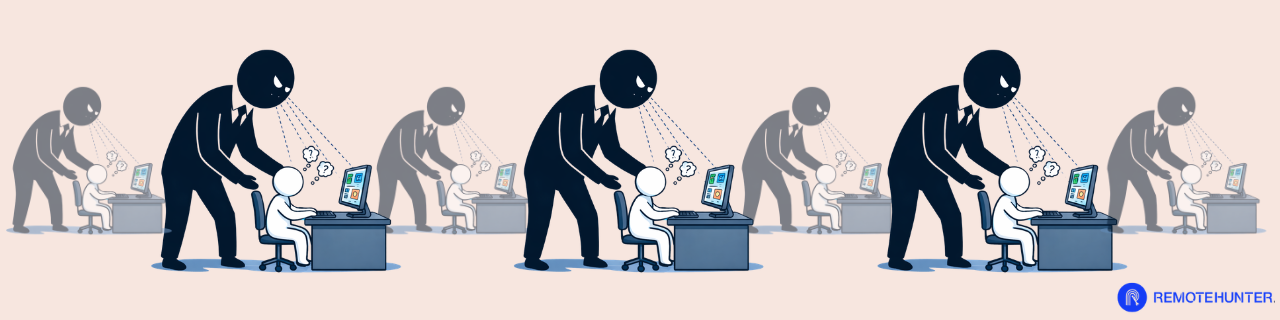

The dream of remote work was simple: judge me by my output, not by my “butt-in-chair” time. But as the office migrated to our living rooms, a new, quieter form of management moved in with it. Digital surveillance—often called “bossware”—is on the rise. Whether it’s tracking your Slack activity, monitoring your webcam, or logging every keystroke, the line between productivity tracking and invasion of privacy has blurred. For many remote workers, this creates a constant, low-level anxiety that actually kills the very productivity the tools are meant to measure.
It isn’t just about your webcam light flicking on. Modern monitoring software is often invisible. Some companies use “heat maps” to see how active you are in communication tools like Slack or Microsoft Teams throughout the day. Others look for “idle time,” flagging accounts that haven’t moved a mouse or typed a character for more than ten minutes. While the most invasive tools—like random screen captures—are rarer, the trend is moving toward data-driven management. Companies argue this helps balance workloads, but for the employee, it feels like an electronic leash that never unclips.
The rise of bossware isn’t just about technology; it’s a symptom of a management crisis. Many leaders who spent decades managing by “walking the floor” feel blind in a remote environment. This leads to “productivity paranoia,” where managers assume that if they can’t see you working, you must be slacking. Understanding this perspective helps you “manage up.” By proactively over-communicating your progress and setting active hours on your status, you can often satisfy their anxiety before they feel the need to lean on invasive tracking software to see what you’re doing.
If you suspect you’re being monitored, the evidence is usually hidden in your system’s background. On a Windows machine, you can open the Task Manager (Ctrl+Shift+Esc) and look for unfamiliar processes under the “Processes” or “Details” tab. Common names to look for include Teramind, ActivTrak, Hubstaff, or Time Doctor. Mac users can check the Activity Monitor for similar spikes in CPU or network usage. Another pro-tip: check your “Login Items” in System Settings. If a program is set to launch the second you turn on your computer, it’s likely a tracking agent.
Advanced monitoring doesn’t just sit on your hard drive; it “calls home” by sending data to a server. You can detect this by looking for unusual network activity. Tools like GlassWire (a free network monitor) allow you to see exactly which apps are transmitting data in real-time. If you see a program you don’t recognize sending packets of data while you’re just sitting on your desktop, that is a major red flag. However, remember that many IT departments use these for legitimate security. Before you panic, check your employee handbook—most companies are legally required to disclose if they are using monitoring software.
Ultimately, remote work should be about freedom and results. If you find yourself in a role where every minute is scrutinized, it’s time to evaluate if that culture aligns with your career goals. High-performing remote workers are increasingly gravitating toward “async-first” companies that prioritize deep work over constant availability. If you are currently job hunting, use the interview process to ask about how they measure success. Look for companies that talk about “objectives and key results” (OKRs) rather than “daily check-ins.” Your time is your most valuable asset—don’t let it be micromanaged.
The best defense against digital shadowing isn’t a mouse jiggler; it’s undeniable output. When your results are clear, managers feel less “need” to monitor your every click. However, you should still set boundaries. Use separate devices for work and personal life to ensure your private data stays private. If you feel the surveillance is crossing a line, it might be a sign of a low-trust culture. In the remote world, you want to work for companies that value your brain, not your keyboard activity. Focus on hitting milestones early, and the “shadows” usually disappear.
If you find monitoring software, don’t walk into a meeting with “gotcha” energy. Instead, frame the conversation around productivity. Try saying: “I’ve been reading about the different ways remote teams track progress, and I want to make sure I’m providing the visibility you need. Are there specific metrics or tools you prefer I focus on to show my output?” This forces the manager to either disclose the software or admit they value results over clicks. It signals that you are a high-level professional who cares about alignment, making it very difficult for them to be combative in return.